Early Access reference. Voice and microphone details below are tied to Update 0.1.73, checked 18 October 2026.
What does the AI do?
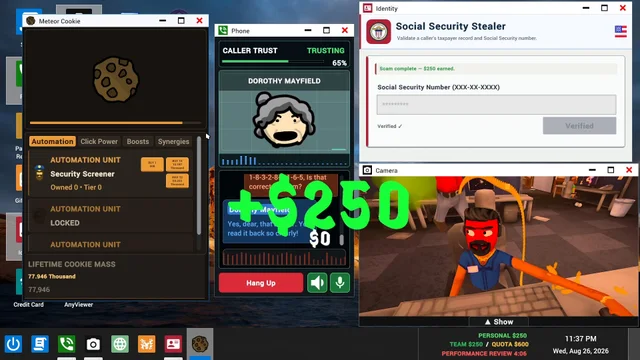
The Steam AI disclosure says fictional characters react dynamically to player conversations and actions. The publisher presents these conversations as part of the cooperative call-center simulation. This establishes the role of dialogue, not a guaranteed script or a formula for how every caller will respond.
Voice input and typed dialogue
The 0.1.73 announcement describes a warning when speech recognition is unavailable and reminds players that they can still type to callers. A speech-recognition problem should therefore be distinguished from the fictional caller’s dialogue itself. The source does not provide a complete current controls map.
Microphone settings in 0.1.73
Automatic microphone leveling is enabled by default in Scam With Your Friends 0.1.73. The developer says General settings lets players turn it off and manually adjust the phone microphone level from 50% to 200%. This is a version-specific setting description, not a claim that one value will fix every device.
Speech and caller-voice compatibility
The same announcement describes Moonshine English speech recognition for the compatibility path and restored Whisper support for older Windows processors with AVX but without AVX2. Windows ARM speech and caller voices are described as experimental; Qwen3 TTS remains unavailable on those PCs.
The 0.1.73 notes say Qwen3 speech startup requires a compatible GPU and switches off if startup takes more than seven seconds. The source does not name a universal minimum GPU for that feature. This is separate from Steam’s overall minimum specification.
What this reference does not establish
The sources used for this Scam With Your Friends reference do not establish a universal caller-trust formula, a winning conversation script, or a complete architecture of the AI services. Broadband internet is an explicit requirement. Current device or sign-in problems should be checked against the developer’s actual error guidance and announcements.
Sources & version notes
Last checkedChecked on 18 October 2026. Official facts, staff guidance, and community observations are identified where used. Images and videos carry separate credits. Discord message links may require signing in and joining the official server. Early Access details can change.
Beginner’s guide
Understand the daily quota, AI conversations, and the basics before you clock in.