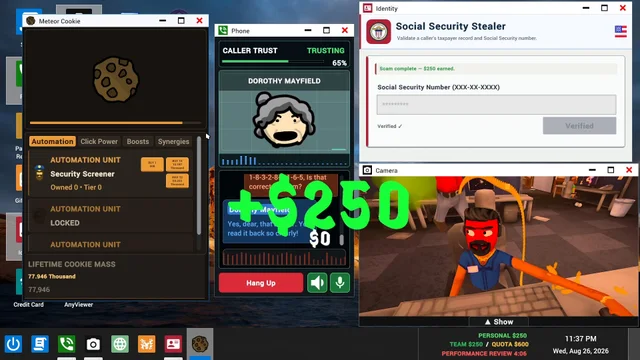
Based on Update 0.1.73, Hotfix 2, and developer Discord announcements checked on 18 October 2026. This is a guide to documented options and fixes; it does not claim hands-on testing or a guaranteed solution for every PC.
Which part of the call is failing?
In Scam With Your Friends, speech recognition converts your microphone input into text; the AI generates a reply; a voice system speaks that reply. These are different stages. A problem with AI authentication is not the same as a quiet microphone.
| System | Relevant official information |
|---|---|
| Your speech → text | Check microphone gain and recognition compatibility. Typed input is the documented fallback when recognition is unsupported. |
| Caller reply → audio | Qwen3 needs a compatible GPU. The game can disable it when voice startup is too slow. |
| AI sign-in / access | 0.1.73 added backup and browser-based Steam sign-in plus clearer status errors. |
Microphone gain & typed input
Automatic gain control is on by default in 0.1.73. The official notes place its toggle in General settings. With automatic control off, manual microphone sensitivity is available from 50–200%. These settings affect recognition input; they are not caller-volume controls.
The official Scam With Your Friends updates retain typed dialogue when speech recognition is unavailable or unsupported. Use the option shown by your installed build; the published notes do not establish a universal keyboard shortcut.
Qwen3, Whisper & Moonshine
Qwen3 caller voices
The newer updates require a compatible GPU and turn Qwen3 off if voice startup is too slow. Hotfix 2 also says it can be disabled when too slow. The sources do not give a complete supported-GPU list.
Whisper recognition
0.1.73 restores recognition on older Windows CPUs with AVX but no AVX2. Windows ARM/Snapdragon recognition and caller voices are experimental; Qwen3 is unavailable there.
Moonshine recognition
0.1.73 adds an English recognition option for older PCs. Do not infer support for every call language from the presence of a recognition engine.
AI sign-in & startup errors
The Scam With Your Friends launch hotfix corrected incorrect PC clocks preventing AI access. Update 0.1.73 adds alternate sign-in routes, clearer errors and bug reporting without signing in. Follow the specific status or compatibility message shown by the game and include it in a report if the problem continues.
A player report that a VPN, DNS change, DLL removal or third-party tool helped one setup is not a verified general fix. This guide does not turn those reports into required steps.
Linux, Steam Deck & older Discord advice
The current developer update explicitly marks Mac, Linux, Wine, Proton and CrossOver setups as unsupported. An older staff Discord post suggested Proton Experimental for Linux/Steam Deck; that workaround does not establish supported-platform status and predates the newer notice.
Still unable to make a call?
Report a continuing Scam With Your Friends problem through the official bug-report route with your game version, operating system, exact error and player logs. This site’s reporting checklist explains which details are editorial suggestions and which files the developer actually requests.
Sources & version notes
Last checkedChecked on 18 October 2026. Official facts, staff guidance, and community observations are identified where used. Images and videos carry separate credits. Discord message links may require signing in and joining the official server. Early Access details can change.
Can your PC run it?
The exact minimum specs from Steam, plus what the recommended section leaves open.